 how-to
How to Protect Center Console Boat Electronics From Sun
Table of Contents
- Why UV Rays and Heat Destroy Marine Electronics
- What You'll Need Before You Start
- Step 1: Install Marine Electronics Screen Protectors
- Step 2: Choose the Right Cover or Enclosure for Your Setup
- Step 3: Learn How to Clean Marine Electronics Without Causing Damage
- Step 4: Preventing Sun Glare on Boat Screens With Anti-Glare Film
- Step 5: Protect Connectors With Dielectric Grease and Moisture Control
- Common Mistakes That Shorten Marine Display Life
- Frequently Asked Questions
Last Updated: September 10, 2026
Why UV Rays and Heat Destroy Marine Electronics
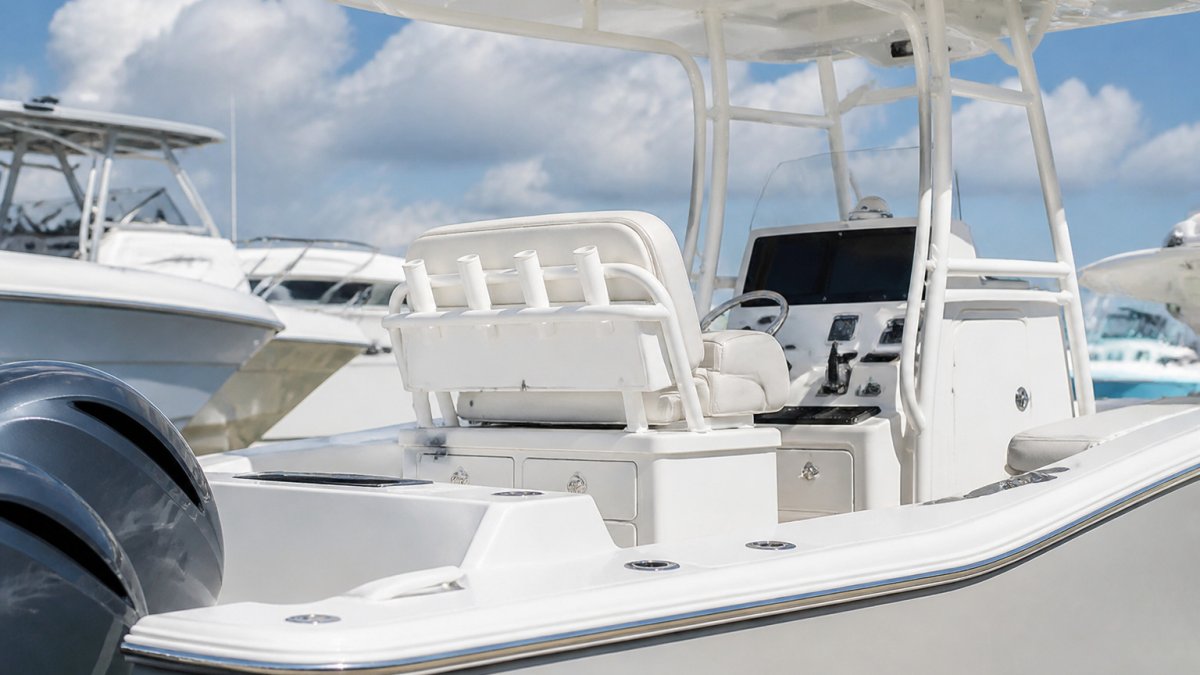
Center console boat electronics fail from the inside out, and sunlight is usually the culprit. UV rays break down plastics, LCD polarizing films, and wiring insulation on a center console, while trapped heat accelerates that decay. Flawless display units can turn cloudy and unreadable within a few seasons without basic protection.
The damage follows two paths. UV radiation degrades screen coatings, fades button legends, and makes marine vinyl brittle. Heat buildup inside a sealed console cooks circuit boards and shortens connector life. Saltwater worsens both, since salt residue holds moisture against metal.
Marine display care is preventative maintenance against environmental degradation. A handful of inexpensive habits, done consistently, add years to your electronics.
NOAA guidance on UV radiation and sun exposure
What You'll Need Before You Start
Gather your supplies before you touch the helm. Working in direct sun with the wrong materials is how owners scratch a display.
- A marine electronics screen protector cut to your display size
- Marine grade fabric cover or a fitted console cover
- Freshwater rinse sprayer and a microfiber cloth
- Dielectric grease and a small brush for connectors
- Anti-glare film if you run in bright open-deck conditions
- A soft-bristle brush for seams and button recesses
Set aside an hour for the first pass; after that, the routine takes minutes. Don't assume automotive products are interchangeable with marine-grade supplies, they aren't formulated for constant saltwater exposure and fail faster.
Step 1: Install Marine Electronics Screen Protectors
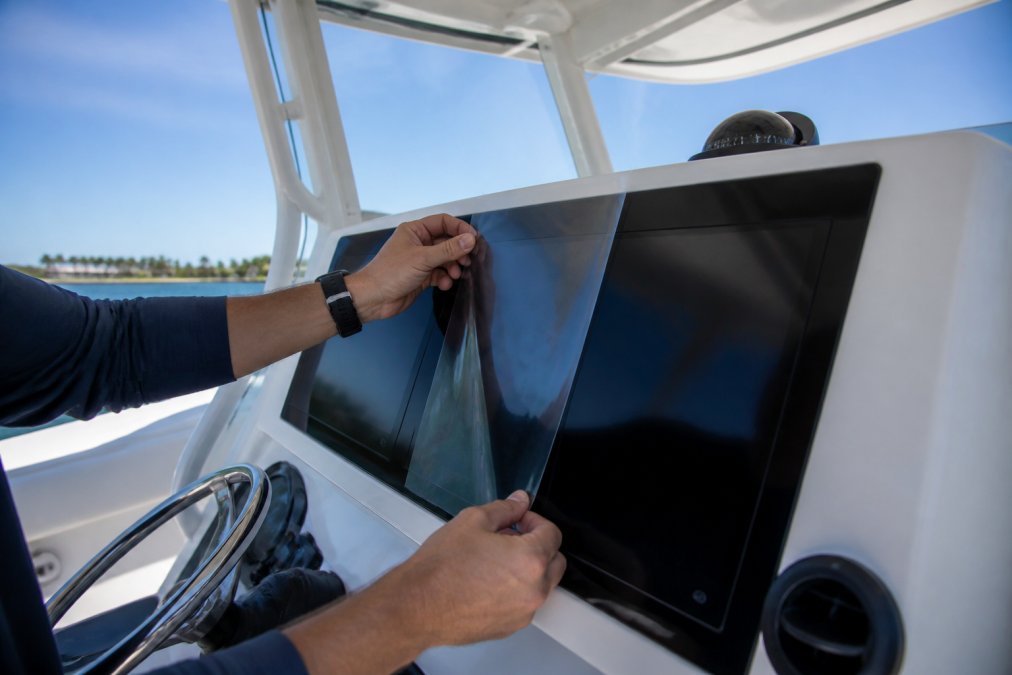
Marine electronics screen protectors are the highest-return upgrade for any center console. A quality film absorbs UV rays, resists glare, and takes scratches meant for your display unit.
Installation matters more than the product. Work in shade, because heat makes the adhesive tack up before you can position the film.
- Power down the display and let it cool completely.
- Wipe the screen with a microfiber cloth and a light freshwater mist.
- Peel the backing and align the film from one corner.
- Press out air bubbles with a soft card, working toward the edges.
- Let the adhesive cure for a full day before running the boat.
Step 2: Choose the Right Cover or Enclosure for Your Setup
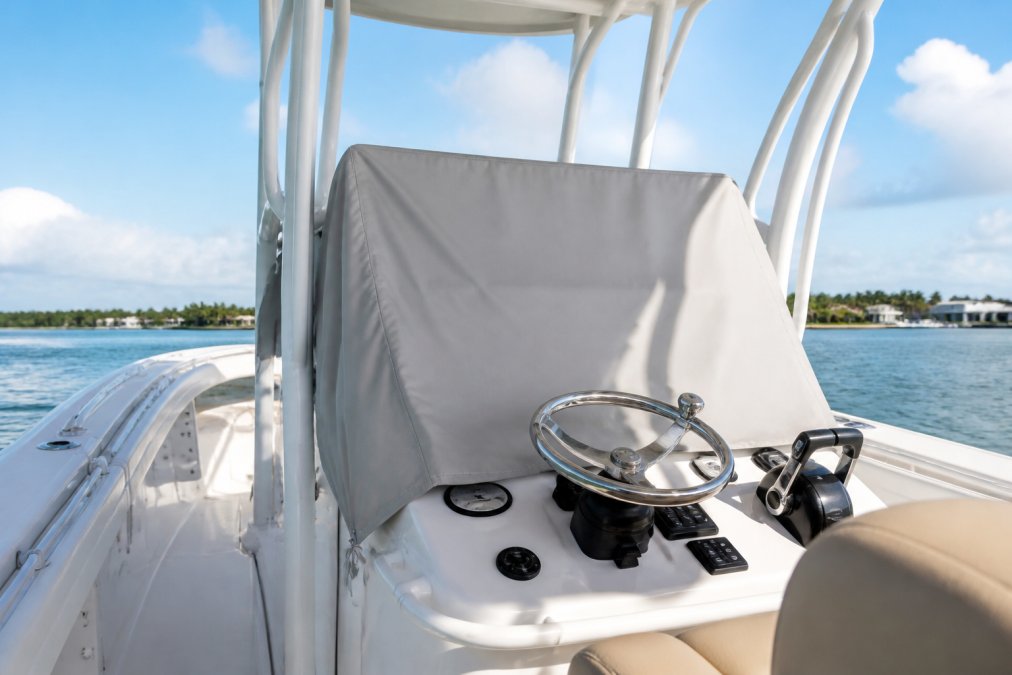
The right cover depends on how your boat is rigged, not on what's cheapest. Canvas and marine grade fabric covers block UV rays and keep heat off the console, but the fit must match your configuration.
| Setup | Best Cover Type | Why It Works |
|---|---|---|
| Open-deck console | Full console cover | Blocks direct sun and rain |
| T-top equipped | Hinged covers + T-top shade | Works with existing sun protection system |
| Bimini top | Bimini-mounted enclosure | Integrates with the frame you already have |
| Trailer-stored | Storage cover over electronics | Protects during off-season storage |
Owners with an existing T-top or Bimini top should lean on that structure first. A hinged cover that folds over the display unit pairs well with T-top shade and costs less than a custom enclosure.
Measure Before You Buy
Off-the-shelf covers are sized to a generic footprint, so they gap at the corners and flap at speed. Measure the console the way a canvas shop does:
- Width across the widest point of the console, including any grab rail or compass mount.
- Depth from the front face of the console to the rear face, at the base.
- Height from the deck to the top of the tallest item you want covered, usually the top of the display unit or the wheel, not the console shell.
- Corner radius at each of the four top corners, measured with a flexible tape.
Write those four numbers down. If you order a stock cover, size up rather than down, a slightly large cover can be cinched with a drawcord, but one too small won't stretch over a T-top leg.
Fabric Trade-Offs That Actually Matter
Most marine cover fabric falls into three families, and the choice affects how long it lasts in full sun:
- Solution-dyed acrylic (sold under brand names like Sunbrella) holds color, resists UV breakdown for years, breathes well, and does not trap heat like coated fabrics. It is the default for a cover that lives on the boat.
- Polyester with a urethane coating is lighter, cheaper, sheds water aggressively, and packs small for trailer storage, but traps heat and the coating can crack after a few seasons of UV exposure.
- PVC-coated mesh is the budget option. It blocks direct sun but lets heat radiate through, and edges fray unless hemmed and bound.
For a center console on a lift or in a slip year-round, solution-dyed acrylic is the better long-term buy despite the higher cost. For a trailered boat stored indoors, coated polyester is fine.
DIY vs. Professional Custom Covers
A stock cover is fine for a simple open-deck console with one display. Once you add a T-top, a second display, a VHF radio, and a compass, a stock cover either won't fit or will flap and chafe the electronics.
When DIY makes sense:
- You have a single display and a simple console with no T-top legs in the way.
- You can sew and source marine-grade thread (bonded polyester, UV-stabilized) and a heavy needle.
- You are willing to pattern the cover with a cheap painter's tarp first, then transfer it to fabric.
When to pay a canvas shop:
- Your console has a T-top, hardtop, or Bimini frame the cover must work around.
- You want a cover that sheds water without puddling, that requires a peak or frame, not a flat sheet.
- You want reinforced corners, a drawcord hem, and a vent that lets heat escape.
A common approach is to have the shop pattern the cover on the boat, then build it with a vent panel and drawcord hem. Custom fit plus ventilation separates a cover that protects electronics for a decade from one that cooks them in two seasons.
Layering With an Existing T-Top
If you already have a T-top, layer with it rather than replacing it. A hinged cover that folds back over the console works with the T-top shade: the T-top blocks midday sun from above, the hinged cover blocks the low-angle sun that reaches the helm morning and late afternoon.
Step 3: Learn How to Clean Marine Electronics Without Causing Damage
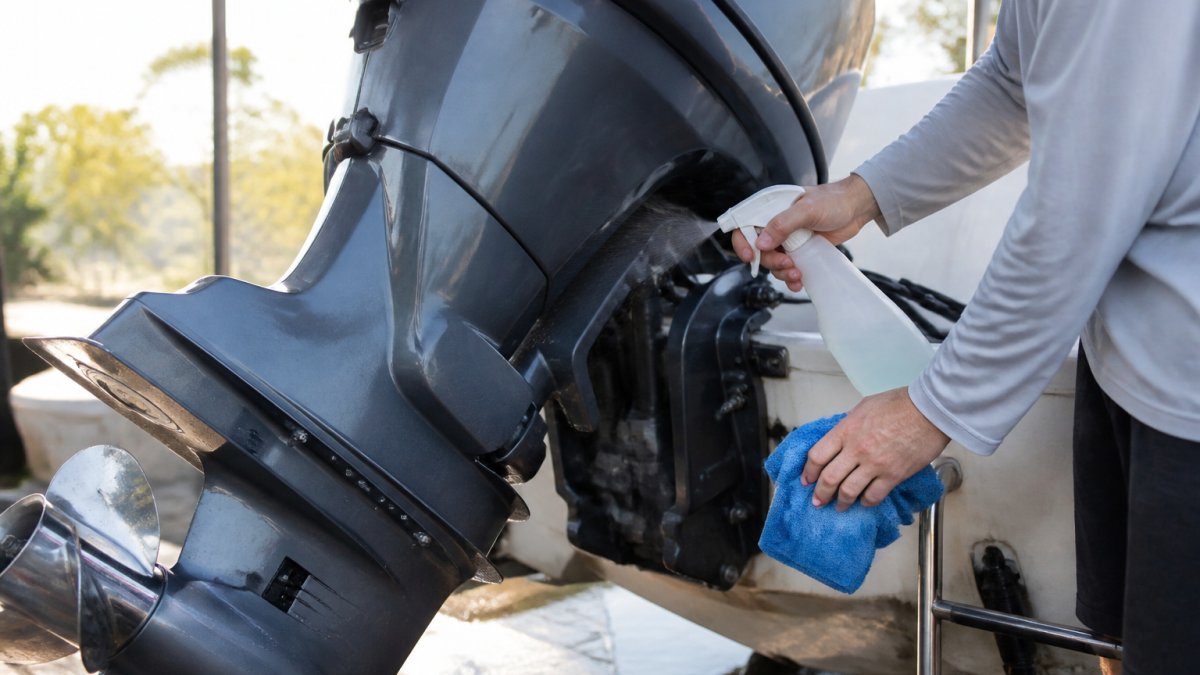
Knowing how to clean marine electronics correctly prevents the scratches and moisture intrusion that kill displays. The rule: freshwater, soft cloths, and never a pressure washer near a screen or connector.
- Rinse the helm with fresh water to lift salt before wiping.
- Mist a microfiber cloth, not the display, then wipe gently.
- Use a soft brush for button recesses and seams.
- Dry immediately with a second clean cloth.
- Never spray directly into a display unit or connector.
A freshwater rinse after every saltwater trip is the cheapest maintenance you'll ever do. It removes the salt film that holds moisture against metal.
Step 4: Preventing Sun Glare on Boat Screens With Anti-Glare Film
Preventing sun glare on boat screens comes down to film choice and screen angle. An anti-glare film diffuses reflected light so you can read depth, speed, and chart data in bright conditions.
Matte anti-glare films cut reflection but slightly soften sharpness; glossy films stay crisp but reflect more sun. For most center console owners in full sun, matte wins, readability beats a marginally sharper image.
Some films combine anti-glare and UV resistance in one layer, the better buy. Pair the film with a T-top or Bimini top to cut direct sun. If glare still wins, adjust your display angle a few degrees.
Step 5: Protect Connectors With Dielectric Grease and Moisture Control
Dielectric grease on every connector is the most overlooked step in center console boat electronics care. It seals pins against moisture and salt, the two forces behind most connector failures.
- Disconnect the connector and inspect for green corrosion.
- Clean any corrosion with a contact cleaner and soft brush.
- Apply a thin coat of dielectric grease to the pins and the seal.
- Reconnect firmly and check that the boot seats fully.
- Repeat at the start of each season.
Use a silicone-based dielectric grease, not petroleum-based. Petroleum greases degrade rubber seals and plastic housings on most marine connectors and attract dust that becomes a grinding paste at the pins. Silicone grease stays put, does not conduct electricity, and won't short adjacent pins.
Heat Is the Other Half of the Problem
UV gets the attention, but heat kills the electronics inside a sealed console. A closed console under a dark cover in direct summer sun can reach internal temperatures well above ambient, hot enough to cook electrolytic capacitors and soften the adhesive behind an LCD polarizing film (peer-reviewed research). That's why a display that looks fine in spring can fail in August.
The mechanism is straightforward: sun heats the cover, the cover heats trapped air inside the console, and that air heats the electronics. With no escape path, heat builds until sundown, and every day of that cycle shortens component life.
Ventilation Without Compromising Water Resistance
The goal is not to seal the console tighter, it is to let heat out while keeping water out:
- Vent panels in the cover. A canvas shop can build a mesh-screened vent panel into the top of a custom cover. Hot air rises and escapes; rain runs off outside. This is the most effective heat fix for a covered console.
- Standoff the cover. With a stock cover, prop it slightly off the console with a small frame or foam block so air moves under the hem. A cover sitting flat traps heat against the electronics.
- Leave the console door cracked. When stored and unattended, a slightly open console door lets hot air escape, only if the boat is under cover or in a shed, not in open rain.
- Avoid dark covers over electronics. Dark covers absorb more solar heat than light ones. A light-colored cover runs cooler over the same console.
Moisture control and heat control are the same job. Housings that trap heat also trap humidity, and the combination degrades faster than either alone. Keep ventilation paths clear, never seal a console so tightly that condensation cannot escape, and check the cover's vent panel each season for clogs.
Connector maintenance twice a year prevents the corrosion that ruins a display unit from the inside. Pair it with a vented cover to address both halves of the sun-damage equation, UV outside, heat inside.
American Boat and Yacht Council standards for marine electrical systems
Common Mistakes That Shorten Marine Display Life
Most marine display failures trace back to a few repeat offenses. Fixing them costs almost nothing.
- Skipping the freshwater rinse. Salt left on connectors and screens is the top cause of corrosion and clouding.
- Using automotive screen cleaner. It strips protective coatings that marine displays rely on.
- Covering a hot console. Trapping heat accelerates thermal damage; let electronics cool first.
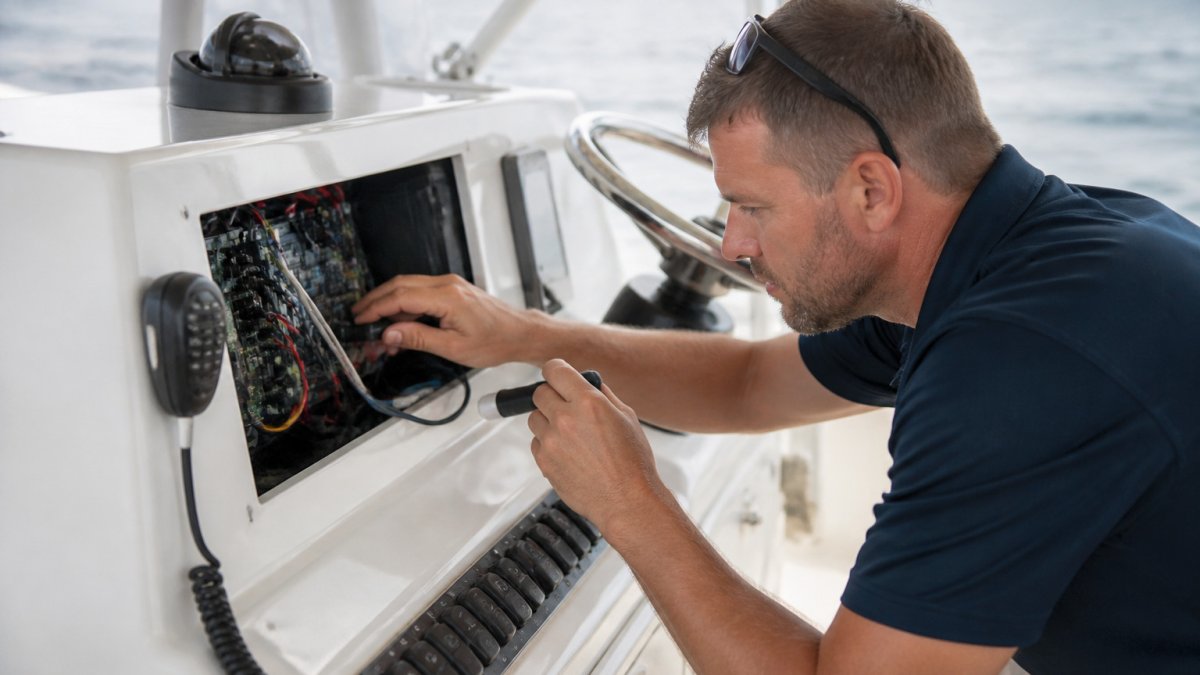
- Ignoring connectors. A screen that dies often failed at the plug, not the panel.
- Skipping off-season storage covers. Months of uncovered sun do the most cumulative damage.
Preventative maintenance beats replacement every time. If you're weighing whether to refit aging electronics or move into a newer center console, the specialists at Primo Yachts of Palm Beach can provide expert guidance. Our team has focused on center console vessels since 2009, helping owners navigate the yacht market.
Frequently Asked Questions
How can I protect my boat electronics from UV damage?
The most effective approach combines physical shade with surface protection. Install a hardtop or Bimini top to block direct sunlight, apply marine electronics screen protectors to guard display units, and use a console cover when the boat sits at the dock. Dielectric grease on connectors prevents corrosion from saltwater exposure and humidity. Together, these measures address UV rays, heat buildup, and moisture, the three biggest threats to marine electronics.
Do I need a console cover if I already have a T-top?
Yes. A T-top blocks overhead sun but leaves the console exposed to low-angle rays in early morning and late afternoon. It also does nothing for wind-driven rain or salt spray. A fitted console cover adds a physical barrier over the display unit, switches, and electronics housing. For center console boats stored in open slips or on trailers, a console cover is one of the cheapest forms of preventative maintenance you can buy.
How does heat affect the longevity of marine GPS and sonar units?
Heat accelerates environmental degradation inside sealed electronics housings. LCD and touchscreen layers degrade faster when internal temperatures climb, and solder joints on circuit boards can crack over repeated heating and cooling cycles. A display unit left in direct sun behind clear canvas can reach internal temperatures well above ambient. Shade, ventilation, and reflective covers reduce that thermal load and extend the working life of your GPS and sonar.
What are the best cleaning practices for marine electronic screens?
Rinse the screen area with fresh water first to lift salt crystals, then wipe with a microfiber cloth dampened with distilled water. Avoid ammonia-based glass cleaners, which can cloud anti-glare coatings. For stubborn salt deposits, use a mild soap solution and a second clean cloth to dry. Never spray liquid directly onto the display unit. Clean regularly so salt and sunscreen residue do not bake onto the surface under UV exposure.
Sun, salt, and heat will find every weak point on a center console, and the electronics are always first in line. Protecting them is a routine, not a project: rinse, cover, grease, repeat. Primo Yachts of Palm Beach helps owners get more seasons out of their vessels through specialist brokerage and center console expertise built over more than fifteen years. Get started with Primo Yachts of Palm Beach and keep your helm electronics running like new.